Creative Technology · System Design · Brand Strategy · AI Assisted Prototyping
Selkie
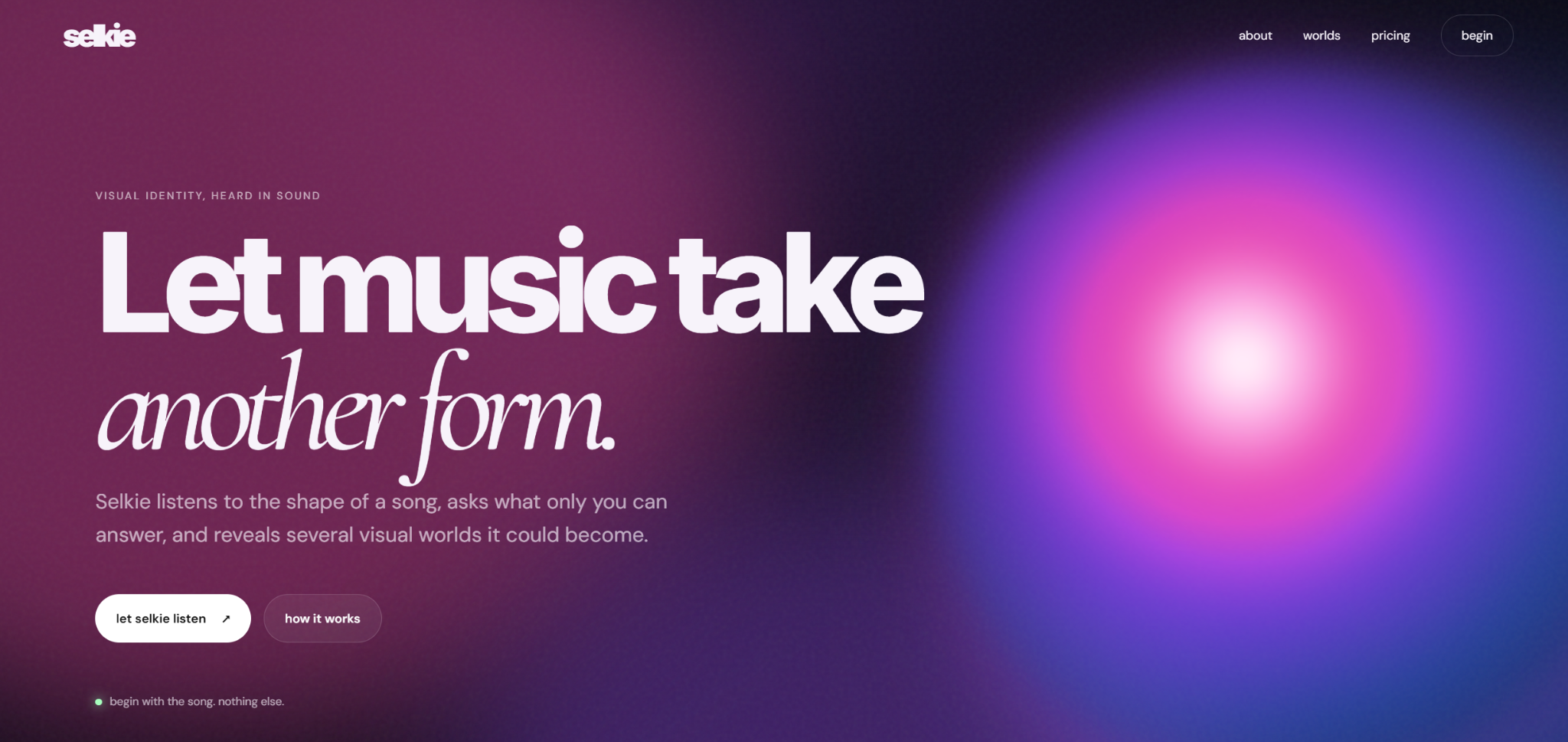
A release system prototype shaped by sound and steered by the artist.
I designed Selkie as a workflow, not an image generator. Artist inputs move through a structured prompt system to create three distinct directions, then into controls for palette, typography, imagery, composition, motion, and export.
The music is ready. The visual campaign usually isn't.
Independent artists are expected to release a complete visual world alongside every track, often without an art director, production budget, or the language to brief a collaborator. The alternatives are usually disconnected DIY assets, generic AI imagery, or agency support priced beyond an emerging artist's reach.
02 / How the system works
A structured creative process. Not a black box.
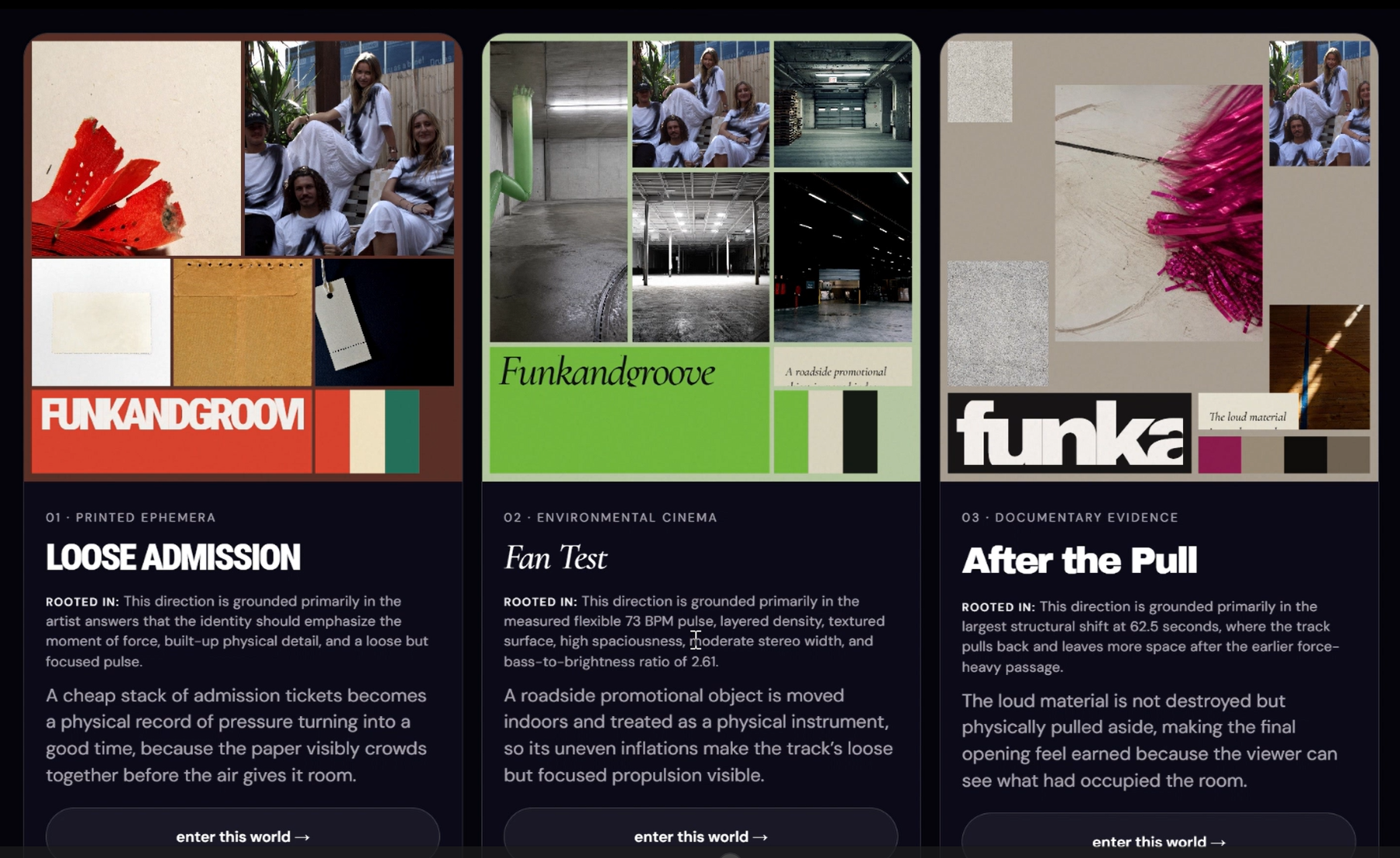
Selkie organizes the track, release context, references, exclusions, and artist intent into a creative brief. Prompt rules translate that brief into three deliberately different worlds, each with its own concept, color roles, typography, image language, texture, and motion behavior.
The system proposes the creative territory. The artist chooses, combines, and redirects where it goes.
Three world comparison · Responsive single world view03 / Input logic and artist control
From context to a steerable system.
01
Give Selkie context
The artist uploads a track and adds release details, references, intended feeling, and exclusions. These inputs become constraints for the system rather than decoration around a generic prompt.
02
Compare three worlds
Prompt and workflow rules separate the response into three art direction propositions rather than treating the first generated look as the answer.
03
Mix and redirect
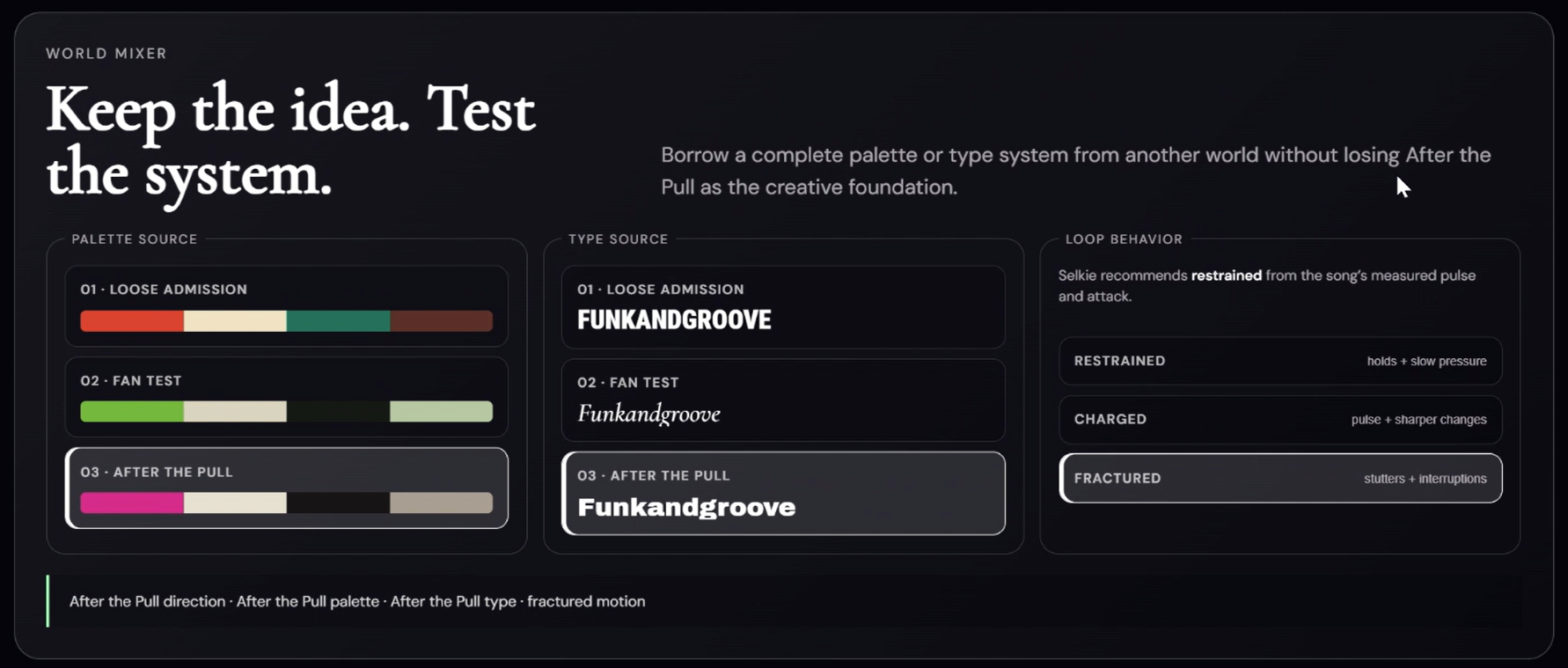
Through the World Mixer, the artist can keep a world intact or combine its imagery, palette, typography, and energy with another direction.
04
Shape the output
Artist visibility, image treatment, composition, palette, typography, and restrained, charged, or fractured motion modes shape the final system.
04 / Testing and iteration
The useful work happened between versions.
I tested the prototype with different songs and creative inputs, then evaluated whether the worlds were genuinely distinct, the controls changed the direction in meaningful ways, and the outputs felt usable beyond the screen.
Early failure
Different prompts produced similar looking worlds.
Palettes, fonts, and image language began repeating across songs, which made the system feel stylistic rather than responsive.
Refinement
I tightened the rules separating each world and defined color, type, imagery, texture, and motion as distinct system variables.
Early failure
The artist had too little control after generation.
A strong first image was not enough. References could repeat, questions felt abstract, and early motion studies were too uniform or slow.
Refinement
I added clearer inputs, exclusions, the World Mixer, cover controls, and motion modes so the artist could redirect the result instead of restarting.
Early failure
A moodboard did not equal a release campaign.
The concept needed to move from inspiration toward assets an artist could actually use or hand to a collaborator.
Refinement
I expanded the workflow into a cover builder, a color and typography system, motion output, and a downloadable creative brief.
05 / Working prototype
The product, in motion.
Walk through the complete v0.13 flow from track and artist input through three world generation, World Mixer controls, responsive cover styling, motion modes, and downloadable outputs.
Artist references, exclusions, world selection, mixing, palette, type, imagery, and motion behavior all remain steerable throughout the experience.
07 / Connected outputs
Not a moodboard. A usable release kit.
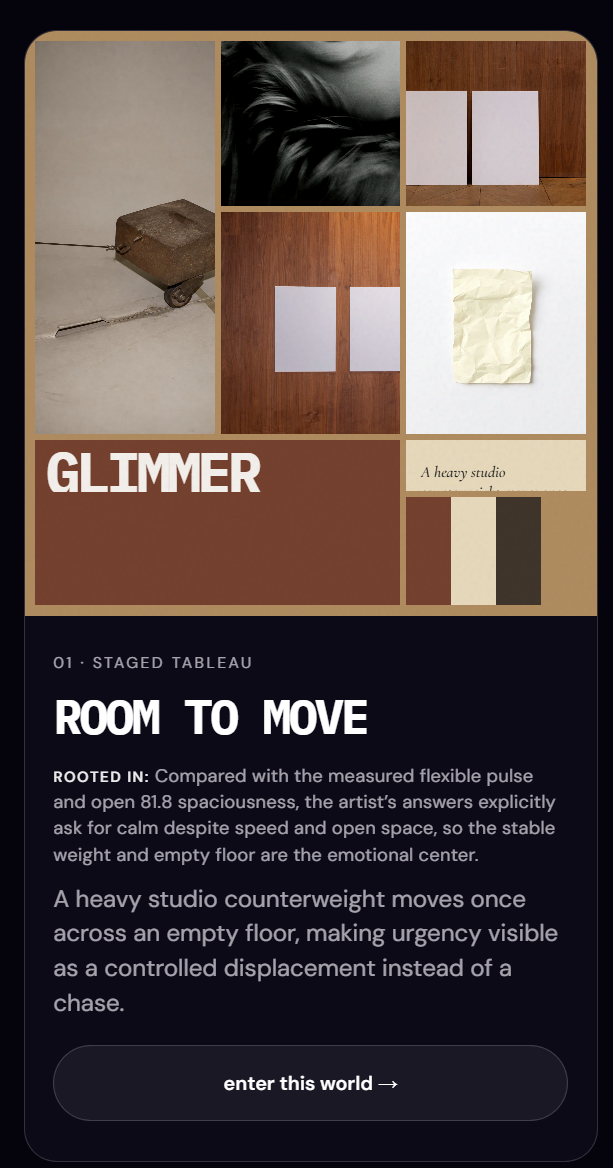
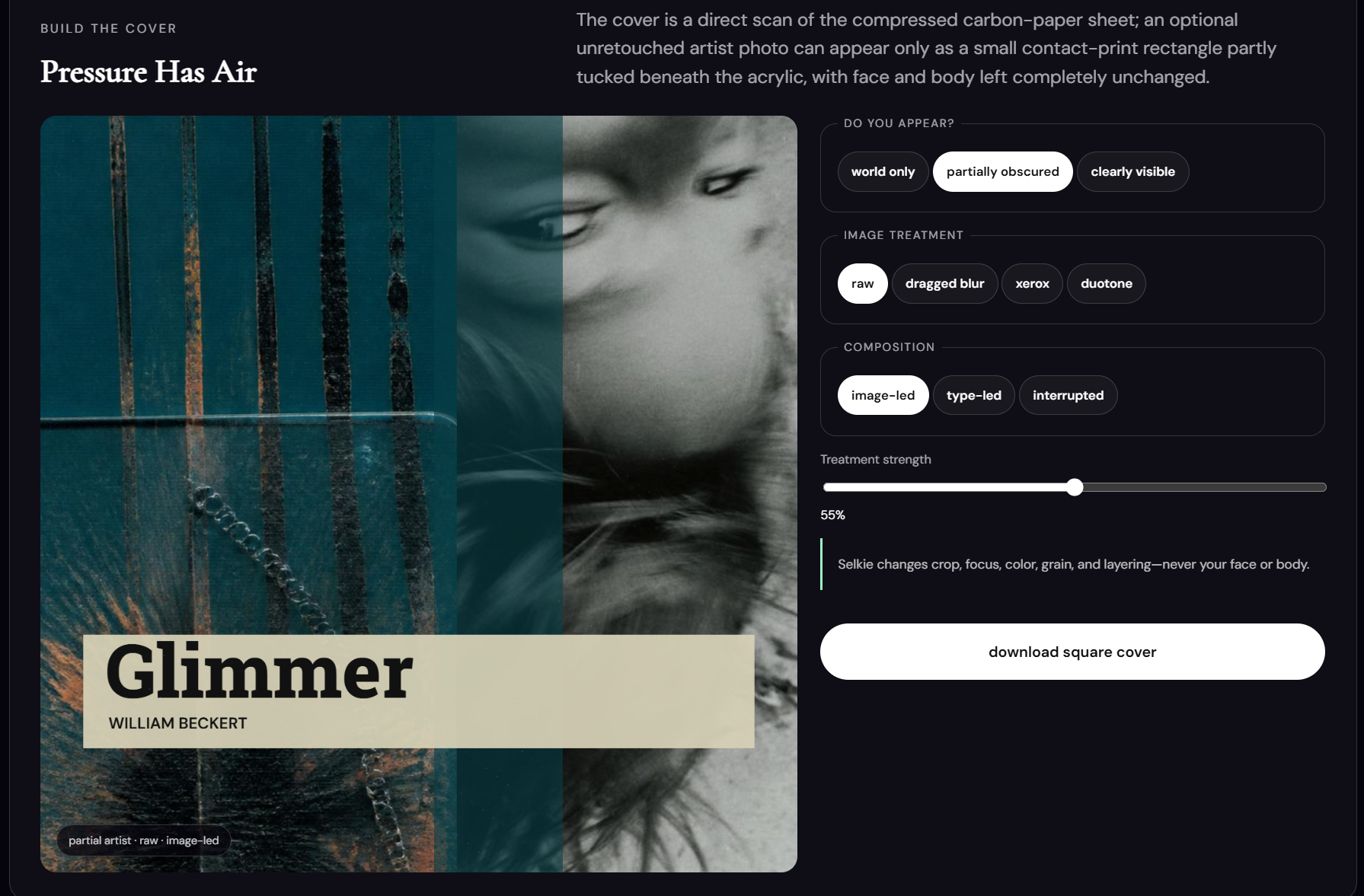
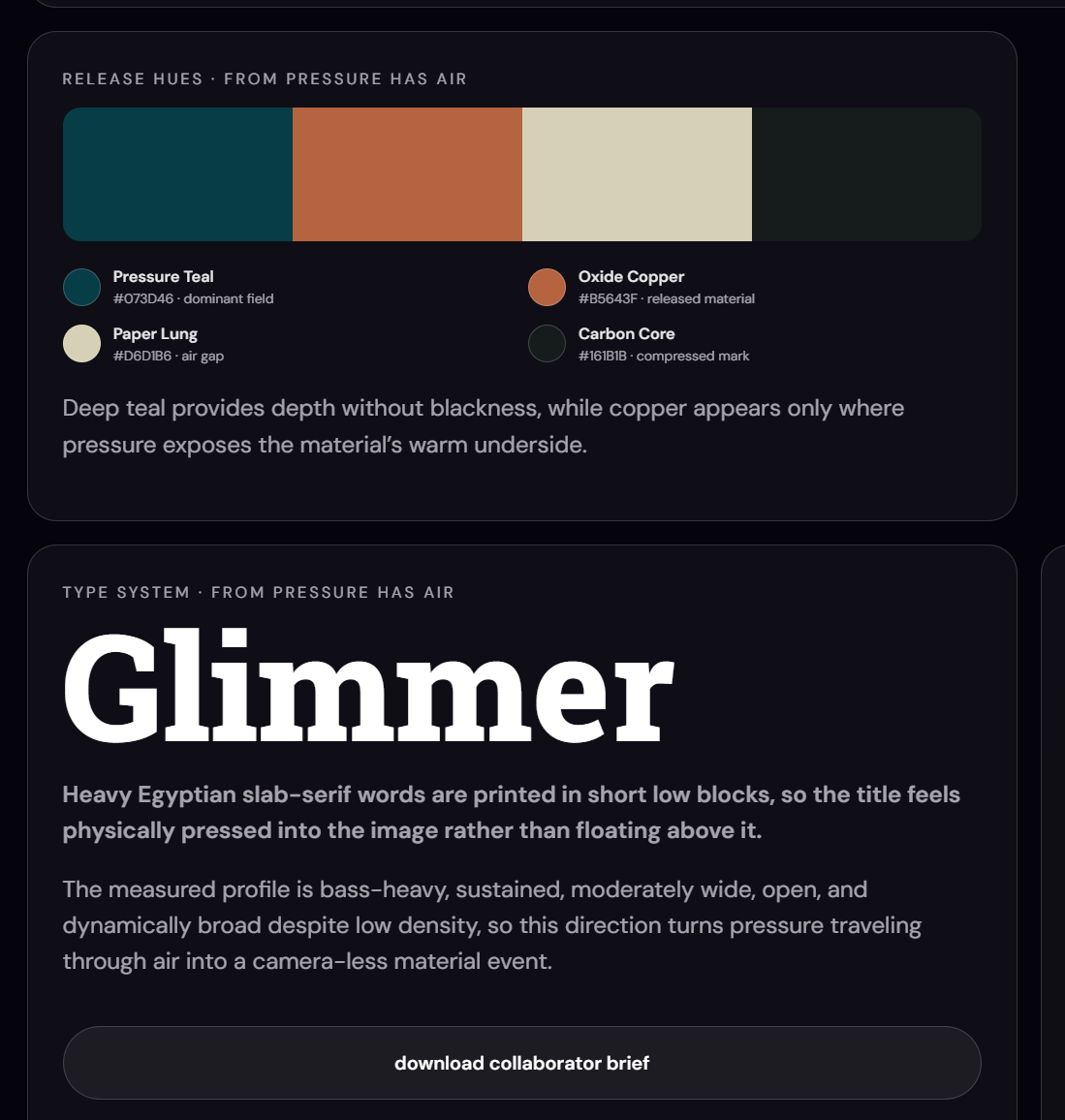
Each session develops into a connected release system rather than a single generated image. In the Glimmer example, the artist can refine and download the cover, export an eight second motion loop, use a color and typography system, and hand a generated brief to a collaborator.
Cover builder · Artist visibility · Image treatment · Composition
Release hues · Type system · Downloadable collaborator brief8 second motion loop preview
Cover export
8-second loop preview
Release hues
Typography system
Collaborator brief
Motion modes
08 / Product strategy
Built for the economics of independent release.
The proposed model keeps Selkie accessible to artists who release occasionally while creating recurring value for active artists and small labels. Pricing is structured around the real compute cost of AI generation and motion rendering. It does not rely on unlimited generation disguised as free creative.
Pay per drop$15 to $29
A focused release kit for one single or campaign, without an ongoing commitment.
Creator subscription$19 to $39/mo
Recurring generation, refinement, and export capacity for active artists and small labels.
Unit economicsHybrid
A tiered model designed to cover API and rendering costs while expanding margin as the product scales.
09 / Identity and naming
Transformation as identity
In folklore, a selkie moves between two forms. The name became a metaphor for the product itself, an experience designed to translate sound into image while preserving the feeling that connects them.
10 / What I built
System, interface, and working prototype.
I conceived Selkie and built the product logic, input flow, prompt architecture, three world framework, artist control system, visual identity, web interface, motion behavior, evaluation criteria, and deployed prototype.
The current prototype includes artist inputs, AI assisted world generation, steering, responsive cover updates, motion previews, and downloadable outputs. It is not yet a production grade audio analysis or commercial release platform.
I used an AI assisted development workflow to turn the concept into a working web experience. My contribution centers on product logic, creative direction, interaction decisions, prompt design, testing, and deployment. It does not represent production level software engineering.
Product concept + audience problem
Input logic + guided workflow
Prompt architecture + world rules
Artist controls + interaction design
Visual identity + responsive interface
Motion behaviors + output system
Testing + evaluation criteria
Prototype development + deployment
11 / Tool stack
Tools followed the system.
The stack combined creative direction and interface design with AI assisted development. Each tool supported a specific part of the workflow rather than standing in for the idea.
GenerationOpenAI image workflows
Source materialArtist uploads + Pexels textures
PrototypeAI assisted HTML, CSS + JavaScript
MotionBrowser based animation + export tests
DeploymentNetlify
12 / Next evolution
Where Selkie could go next
The next product phase would add production grade audio feature analysis, final Spotify ready MP4 encoding, adaptable social templates, batch exports, and collaborative review. This would turn the current art direction engine into a complete release campaign workflow.